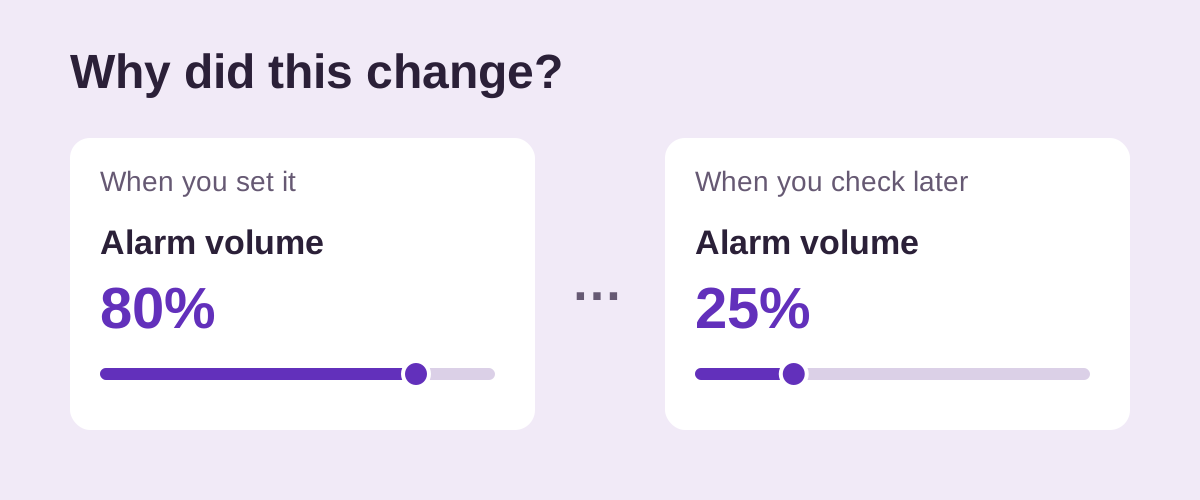
Did the volume change, or does the alarm just sound quieter?
Open the same control you adjusted earlier and compare its position. A screenshot of that setting can help you check. If the slider is unchanged, changing button behavior may not explain the problem. Compare the sound, gradual start and phone placement using the quiet-alarm guide.
Keep the alarm app and alarm type the same during the comparison. An iPhone Sleep/Wake Up alarm has its own volume option; it is not the same control as a regular Clock alarm. On Android, an app may also expose volume inside an individual alarm.
Can iPhone volume buttons lower my alarm?
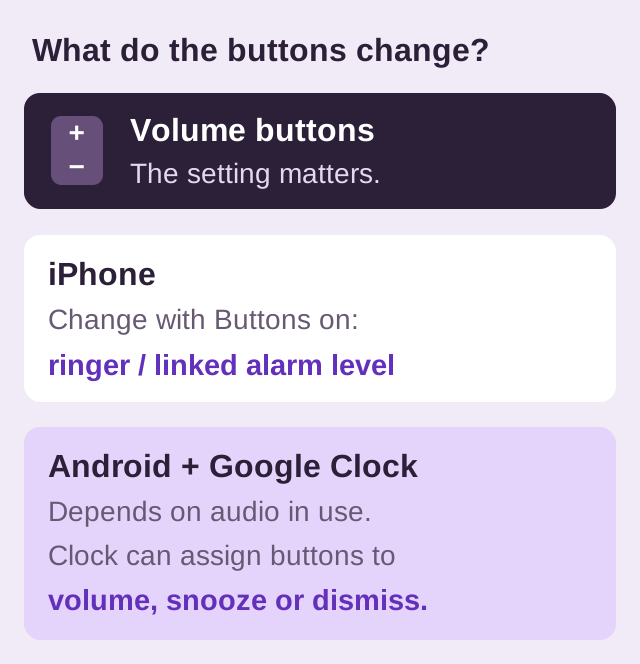
Yes, when they control the relevant level. Apple's alarm instructions say Change with Buttons lets the device's buttons adjust alarm volume. If you use the ringer-linked alarm setting, check whether a button press changes that slider.
- Open Settings, Sounds & Haptics.
- Check Ringtone and Alerts. If shown, also inspect Alarms and Timers and whether Match Ringtone Volume is on.
- Turn off Change with Buttons if you want to prevent button presses from changing the ringer/alert level.
- Set the intended alarm level and run another test.
Apple's volume guide distinguishes media playback from ringer/alert controls and explains locking alert volume. Its sound guide covers the separate alarm-and-timer setting where available. Check the setting on your version rather than assuming a video-volume change also changed your alarm.
For a Health sleep schedule, review the Alarm Options slider in the Wake Up alarm. Choose whether the edit applies to the next alarm or the recurring schedule, following Apple's wake-up alarm instructions.
Which volume do Android buttons change?
Google documents context-dependent volume buttons: the audio being used can determine which level changes. Expand the volume panel and inspect Alarm volume directly. A quieter media slider alone does not show that the alarm was turned down.
Google Clock adds a separate choice under More, Settings, Volume buttons. Buttons can control volume, snooze or dismiss an alarm. Review the action you selected, using the official Clock settings instructions. Other apps can have different controls.
Does gradual volume mean the saved level changed?
No: a deliberately quiet beginning is not evidence that the slider moved. Google Clock's settings include an option for increasing volume over time. BlockWake also offers gradual volume for alarms. Test the full increase before comparing how loud two alarms are.
If the saved level stays the same but an alarm is completely silent only in a particular mode, review Do Not Disturb or silent-mode settings instead. Those are separate checks.
How do I find what changes the level?
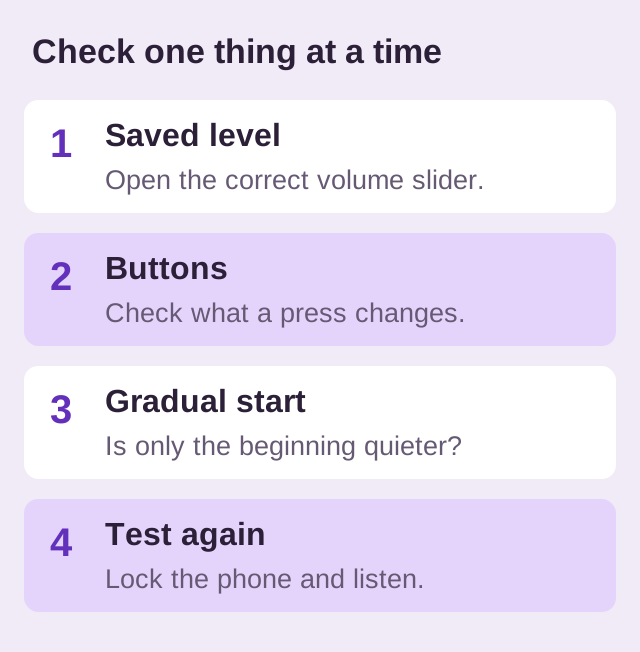
- Record the intended setting. Note the app, alarm type and slider position.
- Check one action. Press a volume button, then return to that same slider. Observe rather than assuming what changed.
- Compare the ring. Test the same tone with its gradual-volume setting noted.
- Repeat with the phone locked. Keep its charging position and overnight modes consistent.
If the level still drops without an observed cause, note the phone model, OS version, app version and when it happens for that app's support team. An automation should only be blamed after you inspect its actual actions and establish that it changes this volume control.
After checking system volume, you can use BlockWake Alarm Sets to organize multiple Android alarms and choose each alarm's sound or Stop controls. BlockWake provides setup guidance; it does not promise to override the phone's sound restrictions.
Try BlockWake FreeCheck system volume first, then test your routine.
Quick answers
Can Change with Buttons explain an iPhone alarm getting quieter?
It can allow buttons to change the relevant level. Check the actual slider after a press, especially if your version offers separate alarm volume.
What if it drops without a button press?
Record the slider position and when it changes. Give those details, your phone model and software version to the app's support team; guessing at a cause can lead you to change unrelated settings.
Will switching alarm apps stop every volume change?
No. A new app still depends on phone settings. Check the relevant controls and retest; if an Android alarm never triggers, follow the delivery troubleshooting guide.